
Computers and CD players convert digital information into an analog audio signal with a specific electrical voltage. This signal is then routed through a mixing console to amplifiers and speakers. This is usually a stereo signal (two channels for left and right). The mixing console combines various input signals and can adjust the level (and frequency response) of each signal. There are two types of mixing consoles. A console mixer is typically used as an input device in larger sound systems and is usually located in an inconvenient position for the DJ. A DJ mixer is a separate mixing console designed specifically for the DJ and their decks. I will use the terms console mixer and DJ mixer interchangeably from now on. Typically, the DJ connects their DJ mixer to the venue’s console mixer via cable or connects it directly to the amplifier and speaker system. Therefore, DJs need to have some knowledge of cables and electrical connections. Here’s a little anecdote about that. I recently attended a milonga at a restaurant I know, which had truly professional sound equipment, open for DJ use. The DJ for the evening didn’t have a cable from his laptop to the (simple RCA) input jacks of the system, and he hadn’t been trained on how to use it. So he played the milonga with a boombox, resulting in abysmal sound quality. Unfortunately, I arrived very late and didn’t have any equipment with me. So we learn that before a gig, it’s always better to have the right cable ready and to get a briefing on how to use the existing equipment beforehand!
Stay connected!
Electrically, a music signal is simply an alternating current with a specific voltage and impedance (current at a specific voltage). For pre-amplified audio signals from non-commercial devices, the standardized signal strength is called line level. This is based on a voltage of 1V (RMS), and the logarithmic ratio between this voltage and the signal is denoted as dBV [1,2]. However, the reference level is set here to -10 dBV, which corresponds to a voltage of 0.3162 V (RMS).
If the signal exceeds this “home device level” (-10 dBV), it will likely become distorted (clipped). The signal should always remain below this level, but it also shouldn’t be too weak, otherwise the inherent noise of the electronics could interfere. The difference between the signal level and the reference level is called “headroom.”
We learn that a signal should not be too weak or too strong, and that the set limit should not be exceeded.
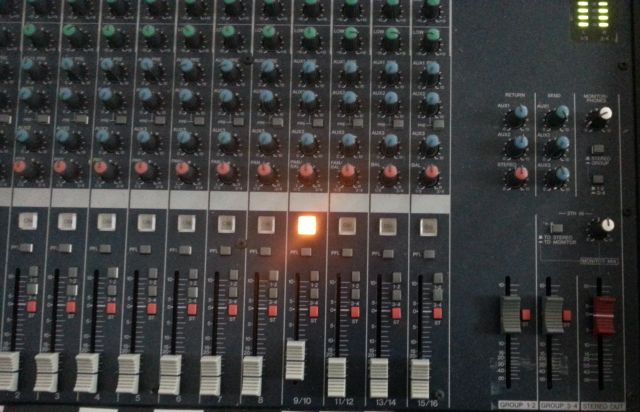
Image 1: Console mixing console. One device is connected and the channel is open.
DJs typically bring their own playback equipment (CD player, mixer, computer) and connect it to the venue’s console mixer. The underlying sound system can range in value from a few thousand euros to several hundred thousand euros. Professional mixers sometimes have more than 20 input channels and are usually not located where the DJ is supposed to be working. Therefore, DJs typically connect their own DJ mixers to an input of the console mixer (Figure 1).
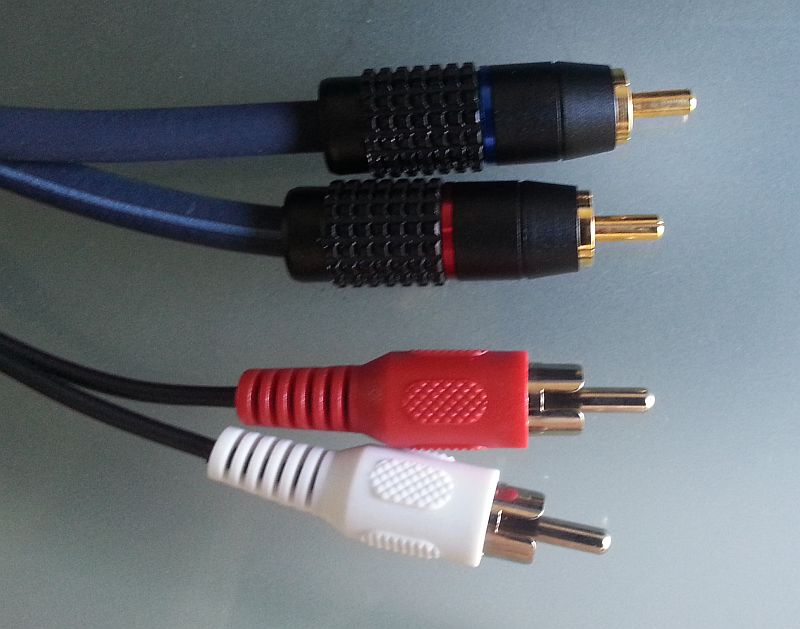
Standard playback devices (CD players) have RCA jacks as outputs, which are connected using RCA cables (Figures 2 & 3). Note that the right channel is always marked in red (mnemonic: Red = Right). By common convention, the left channel is marked in white or black.
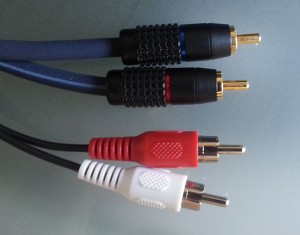
- Image 2: High-quality (top) vs. cheap RCA cables (bottom)
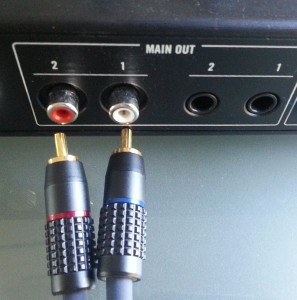
- Image 3: RCA jacks on a DJ mixer, outputs with 1/4″ jack sockets on the right)
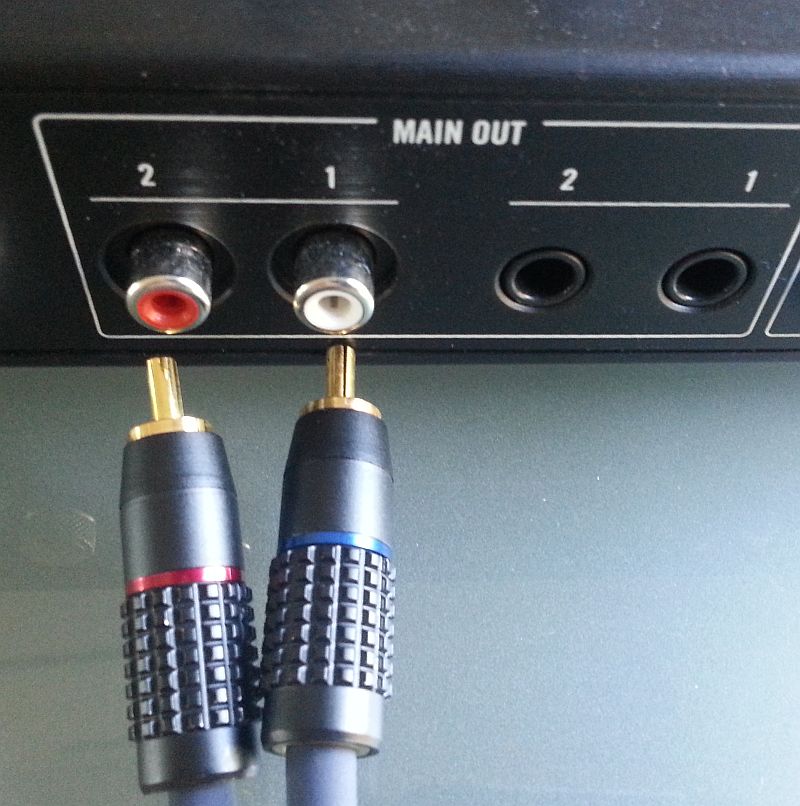
Computers typically have outputs in the form of so-called jack sockets for 3.5 mm TRS plugs (TRS = tip, ring, sleeve; Figure 4) [4]. A special cable is required here, which converts from jack plug to RCA. For non-commercial devices, jack plugs with diameters of 2.5 and 3.5 mm are common. Professional audio equipment uses jack plugs with a diameter of 6.35 mm (1/4 inch). In professional audio equipment, each audio channel is transmitted with its own plug. Such connections are very common on console mixers, but also on semi-professional DJ equipment (Figure 3, right).
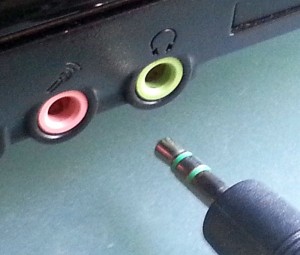
- Figure 4: Audio input and output on a notebook, for 3.5 mm TRS connectors

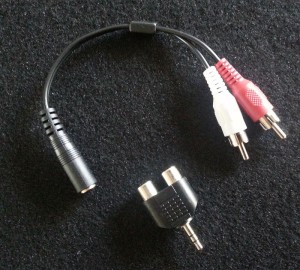
- Figure 5: Adapter between 3.5 mm TRS and RCA. Adapters should only be used in emergency situations.
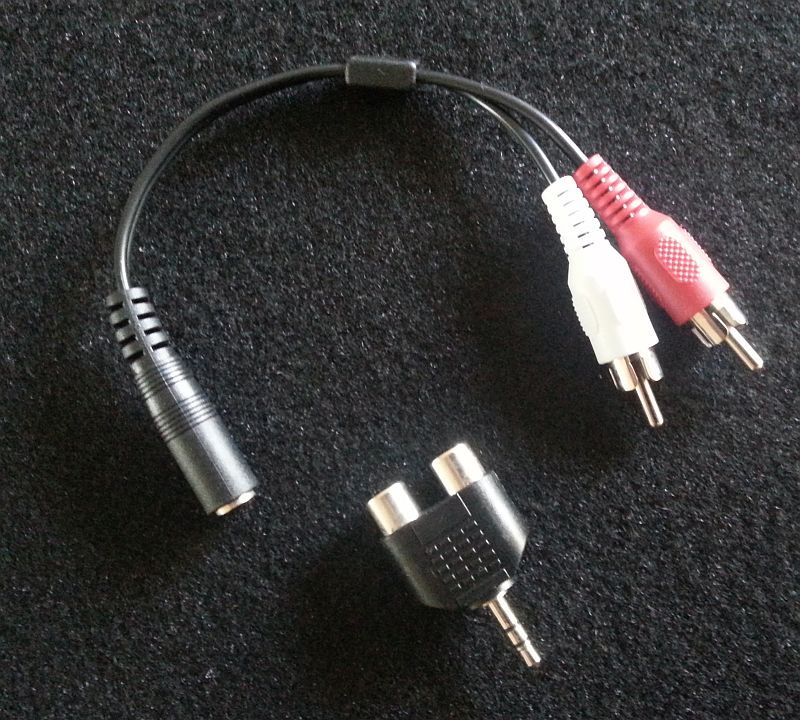
Here’s a quick note about cables. As a DJ, you should only use high-quality cables with gold-plated connectors, without compromise. A €30 cable is reliable, durable, and has a long lifespan. The cheap €3 cable will fail at the worst possible moment and could jeopardize a gig. You should also avoid using adapters whenever possible. The additional contact points can compromise the electrical connection. I carry cables in lengths of 2, 5, and 10 meters in TRS/RCA and RCA/RCA configurations and only use adapters in emergencies (Image 6). If you’re soldering your own cables, pay attention to the quality of the connectors and cables used and strive for a certain level of craftsmanship.

Image 6: TS to RCA adapter
Our DJ mixer is now connected to an input of the console mixer and thus also to the rest of the chain consisting of amplifier and speakers.
IMPORTANT: Before connecting a cable to an input on the mixing console, ensure that the channel is muted or its volume is turned down using the fader. Otherwise, you risk damaging your amplifier and speakers. Ideally, the device should be switched off. This is because, when plugging in cables, the signal cable often makes contact before the ground connection. The resulting static noise can damage components. Generally, all cable connections should be made and double-checked before switching on the devices, starting with the speakers and working your way up. When switching off, follow the reverse process, from the speakers to the devices.
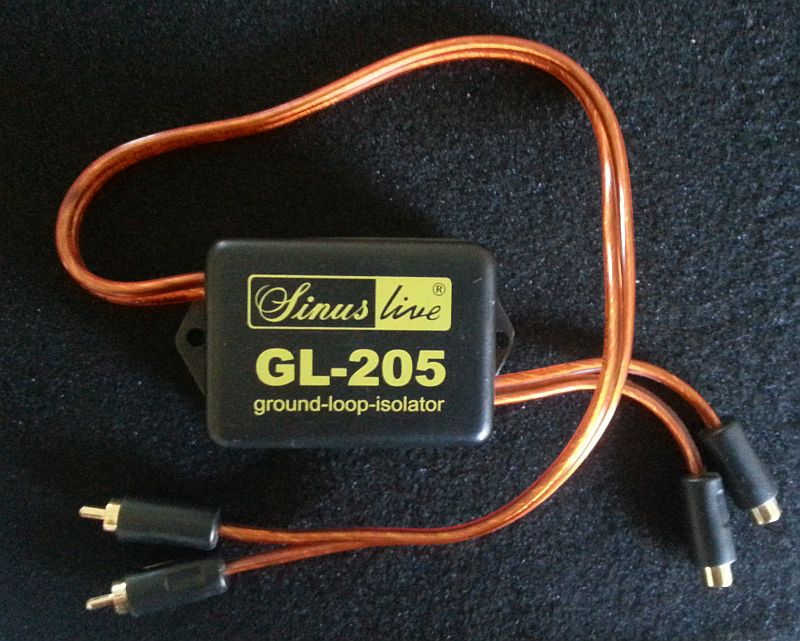
When working with consumer electronics devices and standard cables, a 50 Hz hum can sometimes be radiated into the transmission cable. This is caused by so-called ground loops, which can pick up the ubiquitous 50 Hz signal of the mains power supply. In this case, a transformer (an inductive element such as a transformer) is often helpful, as it galvanically isolates the signal path (Figure 7).
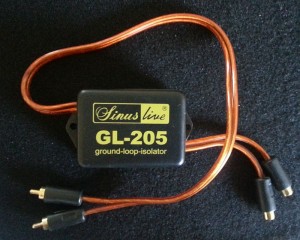
- Figure 7: Isolation transformer to prevent ground loops.
Balanced cables for professional applications
It’s understandable that interference from other signals becomes more frequent with increasing cable length and quantity. While the cable used consists of a single conductor for the signal and an insulating braided shield for the ground connection, such an unbalanced cable cannot completely prevent interference. Therefore, balanced cables are used in professional and semi-professional applications. These cables have two conductors for the signal, which is split into a “hot” (+) component and a “cold” (-) component that is 180° out of phase. Both conductors are surrounded by the shielding braided shield with the ground connection. Both signals have the same amplitude and impedance. If interference occurs, it affects both signal cables equally and can thus be detected and filtered out by the receiving electronics. In the application mentioned, balanced cables are used to connect microphones, components, and active speakers. Ground loops are therefore a thing of the past. These cables typically use either XLR connectors [5] (Images 8 & 9) or with 1/4″ TRS connectors [6,7].
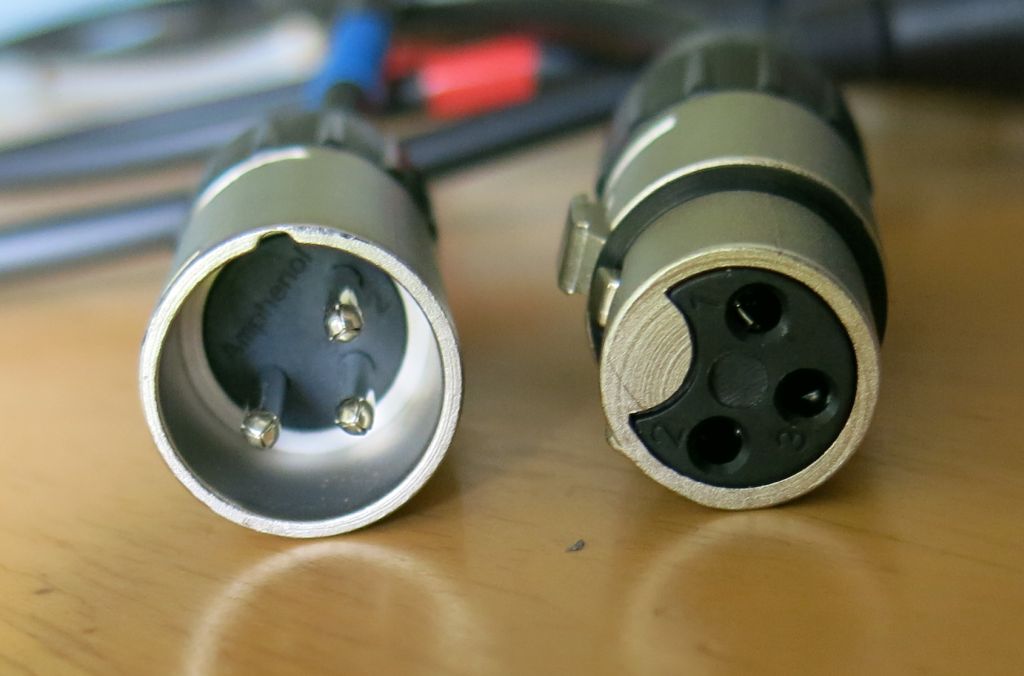
Figure 8: XLR connector for balanced connections.
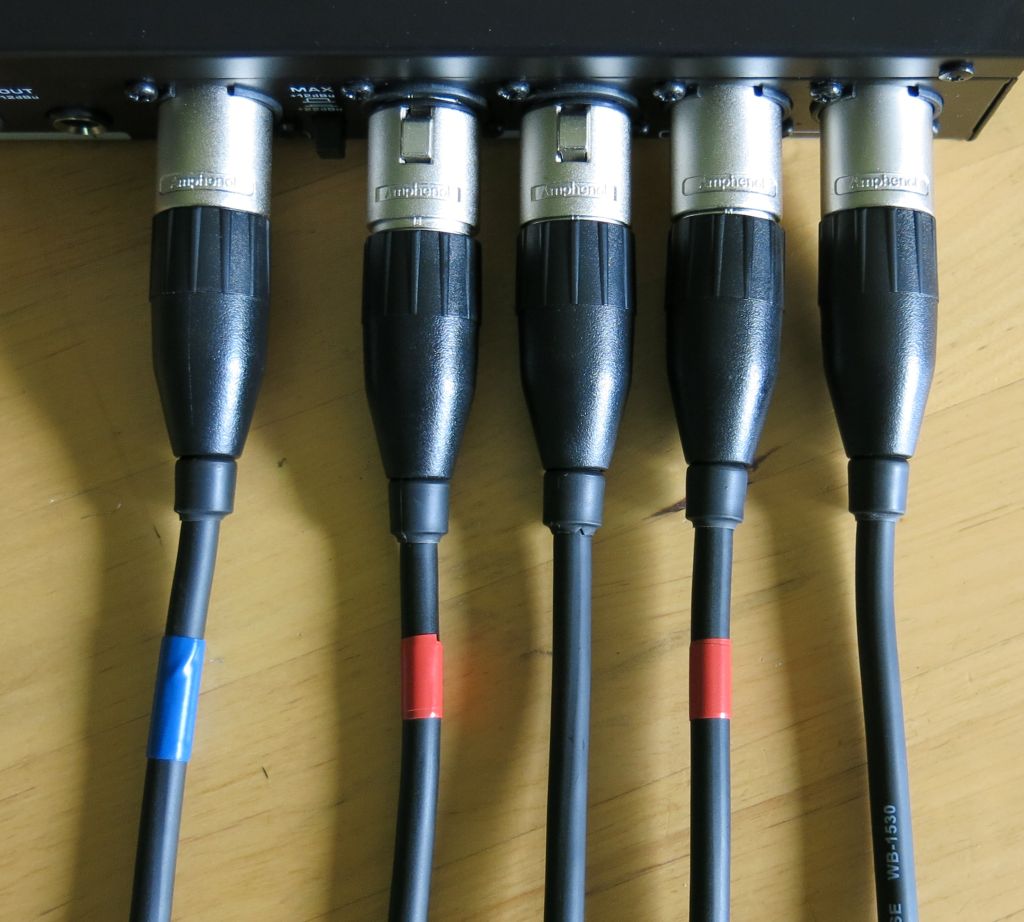
Image 9: Color-coded XLR cables for different purposes (red=right, blue=microphone)
Unbalanced line signals can often be fed into balanced inputs without problems, as newer devices have adaptable input electronics. For this, the signal is connected to the (+) input and the (-) input is shorted to ground. Older devices may require active or passive converters.
Another problem arises because professional equipment expects a stronger signal. Its reference level is +4 dBU, which corresponds to 1.228 V (RMS), instead of the 0.316 V used in consumer electronics. Therefore, connecting a typical DJ mixer to the input of a professional mixing console will result in a very quiet signal. Connecting a DJ mixer to a professional mixing console may require a DI-Box, an amplifier that also balances the signal (Figure 10) [8].
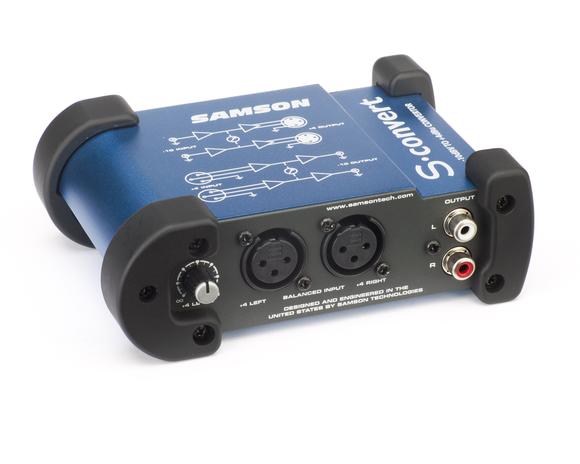
Image 10: Converter between RCA and balanced XLR
Problems like this, however, are usually beyond the average DJ’s expertise. Venues with professional sound systems typically have a technician who can help and provide the necessary adapters. If I play at such a venue regularly, though, I usually get the right cable myself and I’m not afraid to use a soldering iron. Instructions on how to solder the appropriate cables can be found online.
Another useful device is a cable tester for checking the functionality of existing cables. While this can also be done with a cheap multimeter, a cable tester can be used even by those without electrical expertise.
The future – purely digital cabling
Digital connections are perfect and unaffected by interference or loss of quality. Such connections have been available in the home audio sector for some time. One example is the S/PDIF standard from Sony and Philips. This can be implemented purely optically via fiber optic cable or electrically via a simple RCA connection (Figures 11 & 12).
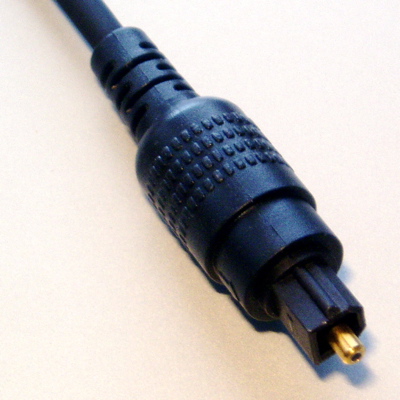
Image 11: Optical TOSlink cable
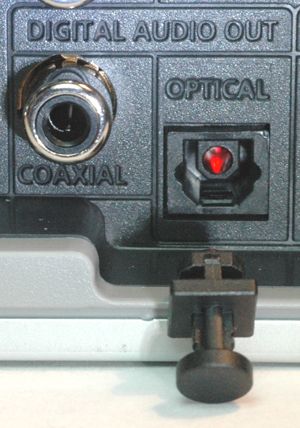
Figure 12: Digital output in home electronics with optical and electrical interface (RCA)
For professional and semi-professional devices, the AES/EBU standard is usually implemented with XLR connectors. Even though AES/EBU is based on the same standard as S/PDIF (namely AES3), simple transmission via adapter cables is not always successful because a slightly different protocol is used in the digital data stream. It may or may not work. In the latter case, only a device that translates both formats will help (Figure 12).

Picture 12: Device to securely translate consumer to professional digital audio signal.
Most CD players have digital outputs, DJ decks and computers sometimes do, and DJ mixers extremely rarely have digital inputs and outputs. So far, I’m only aware of the Pioneer DDM 900-Nexus, which supports this.
In the future, however, we can expect more digital transport routes and thus perform D/A decoding at a later point in the transmission chain (LS management system).
– Richard (DJ Ricardo)
PS: In the next post, we will deal with digital audio files and discuss grabbing from CD, encoding and tagging music files.
1 http://en.wikipedia.org/wiki/Line_level
2 http://lenardaudio.com/education/09_mix/09_mix_3.html
3 http://en.wikipedia.org/wiki/RCA_connector
4 http://en.wikipedia.org/wiki/Phone_connector_%28audio%29
5 http://en.wikipedia.org/wiki/XLR_connector
6 http://en.wikipedia.org/wiki/Balanced_line
7 http://en.wikipedia.org/wiki/Balanced_audio
8 http://www.fmsystems-inc.com/index.cfm?tdc=dsp&page=publication_detail&pid=110
9 http://en.wikipedia.org/wiki/S/PDIF
10 http://en.wikipedia.org/wiki/AES3
11 http://www.djtechtools.com/2011/04/12/review-pioneer-djm-900-nexus/