
DJ software for PC and Mac
Music playback software is used to decode and play music files. This is one of the basic tasks of every computer these days, and the range of available options is correspondingly vast. Particularly flexible players like the VideoLAN client can play music files, playlists, and even videos. Others are special in that they can handle a wide variety of file formats (e.g., foobar2000) or are integrated into an operating system (iTunes, Windows Media Player). A list of common players can be found here [1].
These players are generally unsuitable for DJing. For DJing, we need the ability to preview tracks while another song is playing live. The traditional two-deck DJing method should also be supported, so we’re looking for two virtual decks and a way to mix the resulting signals.
Tango DJing is unique because it relies heavily on a comprehensive music database. Tango DJs work with a variety of orchestras and additional structural elements such as singers. A collection of anywhere from 5,000 to 50,000 tracks is not uncommon. This means we need a fast database that can interpret ID3 tags and store playlists and tandas in appropriate structures. These functionalities must be implemented quickly and reliably for gigs (DJ performances).
TangoDJ doesn’t need many of the features of modern DJ software. Very few tango DJs will be scratching or beatmatching with original turntables. Likewise, we don’t need sample players or sound effects. There might be an exception for so-called tango fusion tracks, but this isn’t the norm. What is of some value, however, is the automatic detection of speed (bpm) and key signature, as well as automatic volume normalization, which simplifies the DJ’s work.
As always, there are free solutions and commercial software.
1. iTunes? Some love it, some hate it…..
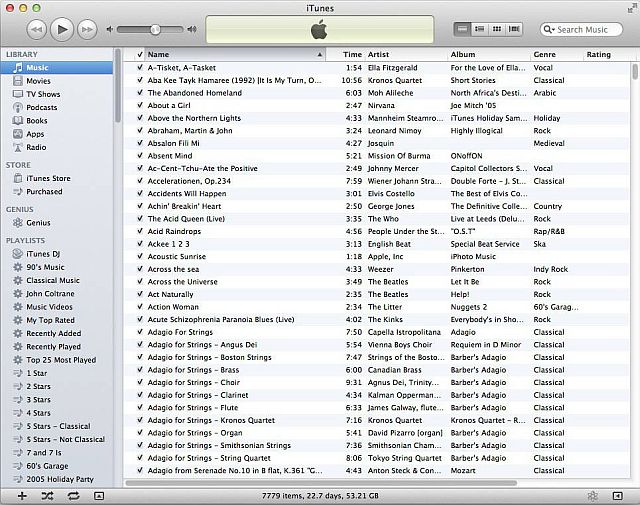
The free iTunes is the intended program for Apple devices to play music. However, it is also available for Windows PCs and can manage music from portable devices. In that sense, it’s less of a playback program and more of a very sophisticated music database [2]. It is particularly popular for tango CDs because of this feature. iTunes can automatically play a playlist, but the problem is that it only has one player and, without significant manual modifications, it doesn’t offer a preview function (previewing can be implemented with special scripts, but this is neither easy to implement nor secure).
iTunes is also selective about the audio formats it supports; a list can be found here [2]. Some popular formats are not supported here, especially FLAC, which is popular with tango DJs.
iTunes is linked to a music store (iTunes store) and includes a digital rights management system (DRM) as well as integrated copy protection measures. iTunes has been criticized for being “bloated beyond its core function into an e-commerce and advertising platform.” Furthermore, many people fear that Apple could use this software to spy on their listening habits and music collections.
Nevertheless, many tango DJs use iTunes directly or access the iTunes database with other playback programs.
-
iTunes by Apple. A first-class database for music.
2. The open-source program for DJs: MIXXX
Mixxx is an open-source program for Windows, macOS, and Linux, and as such, it’s free. It offers two decks, an internal mixer, and many features of professional DJ software. These include BPM setting, BPM matching, and the ability to connect multiple sound cards, thus enabling cueing. Mixxx decodes all common file formats (MP3, OGG, WAV, M4A, AAC, and FLAC) [1]. The current version can even connect to hardware controllers. Hardware controllers are devices that control the software using physical buttons and sliders.
The internal database can be structured into so-called crates and playlists, thus meeting the requirements of Tango DJs; moreover, it allows access to the databases of iTunes and Traktor (professional DJ system).
The image shows the two decks (blue and orange) and the virtual mixing console between them. Below, you can see the database window and the tree structure on the left.
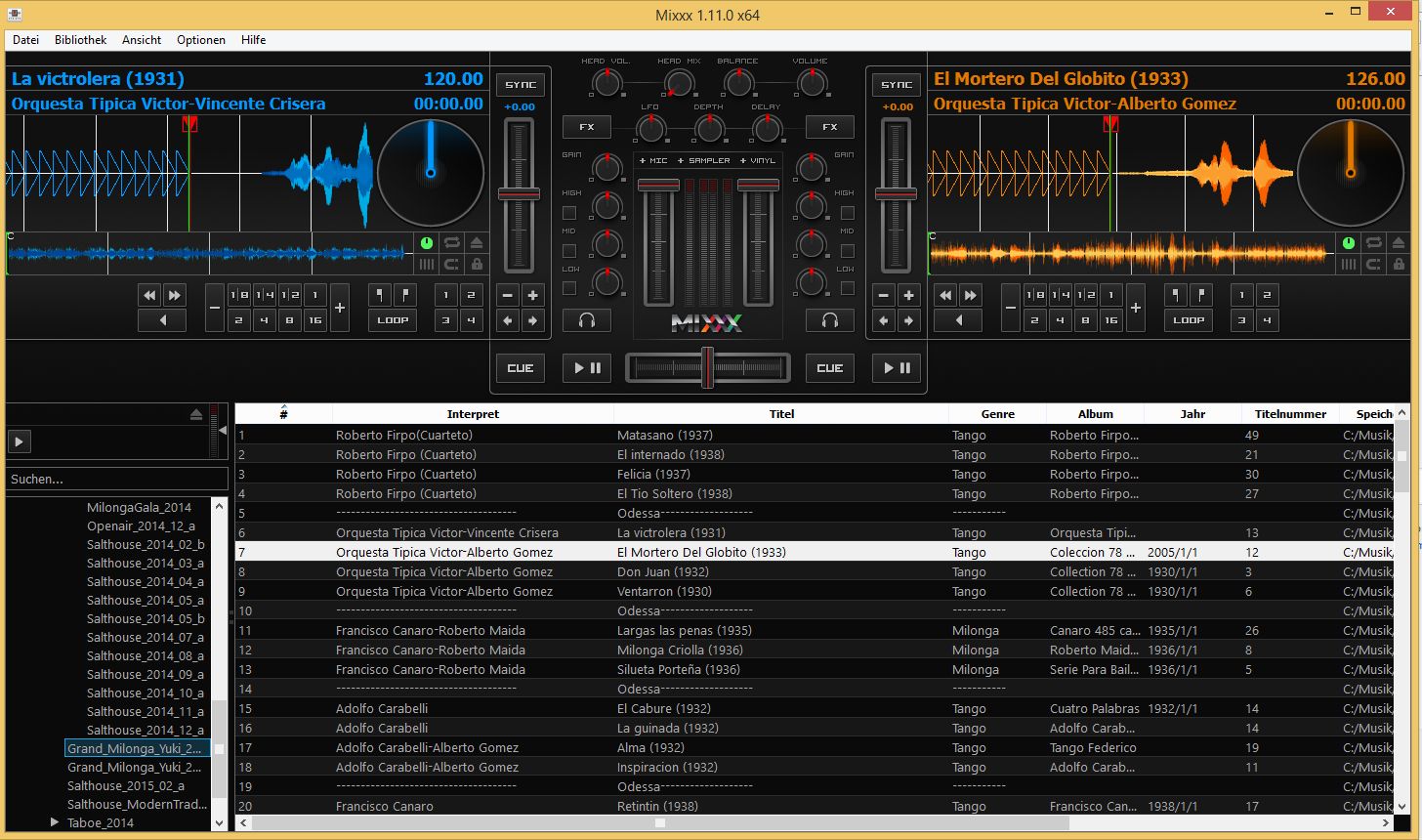
Mixxx is a free software that ticks all the boxes.
For beginners in the DJ business, Mixxx is definitely software worth trying. It’s free but has all the features of a professional program. My verdict: Highly recommended!
3. Professional Software: Virtual DJ (Atomix)
Virtual DJ is a professional program for DJs, which means it costs money. However, a free version is available for non-commercial use (without a controller or external sound card). A license with one controller costs between $100 and $150, while a professional license costs $288.[5].
The user interface is similar to that of Mixxx. There are two decks, a mixing console section, and a database section.
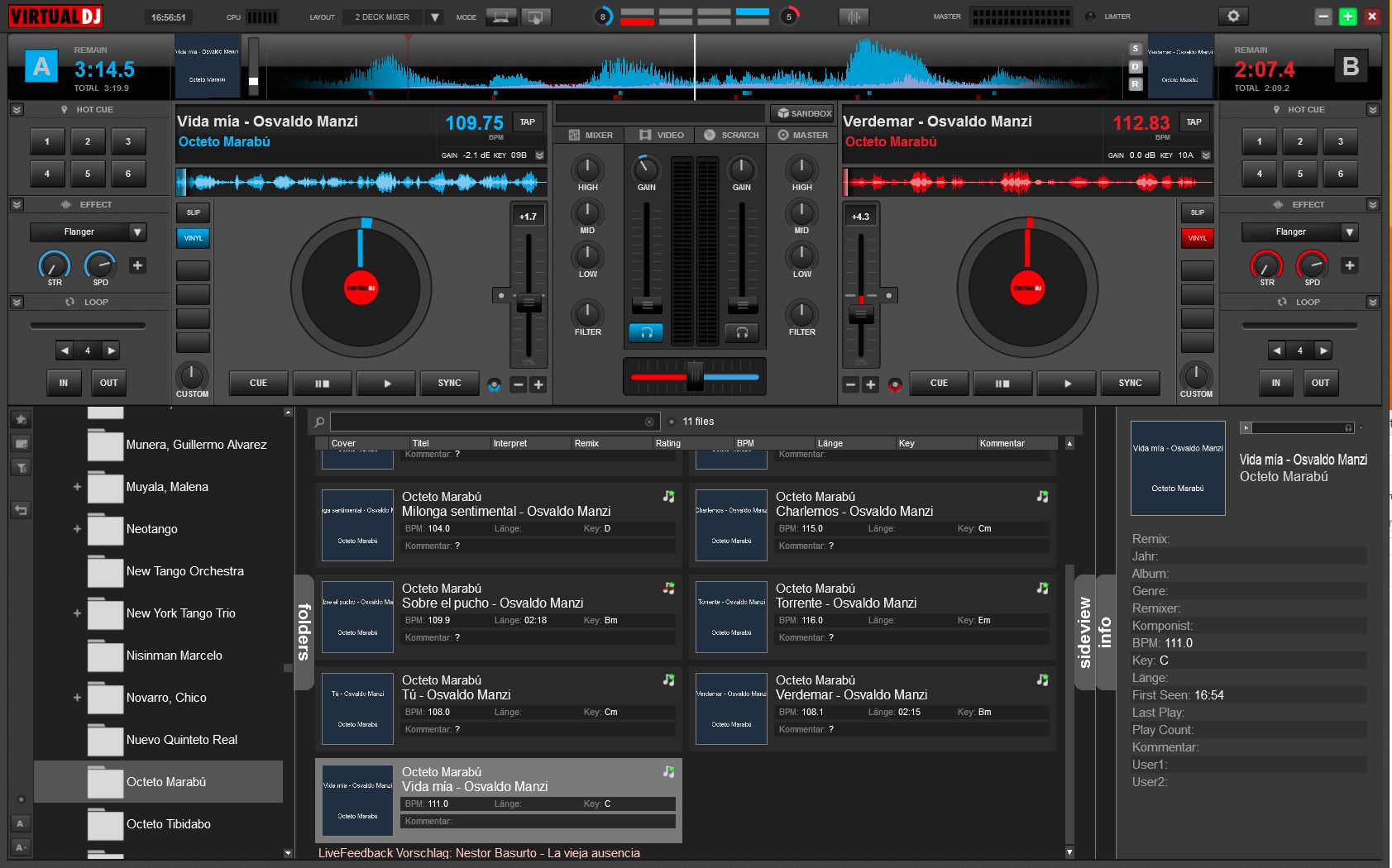
Virtual DJ (Atomix)
Virtual DJ plays almost all audio formats:
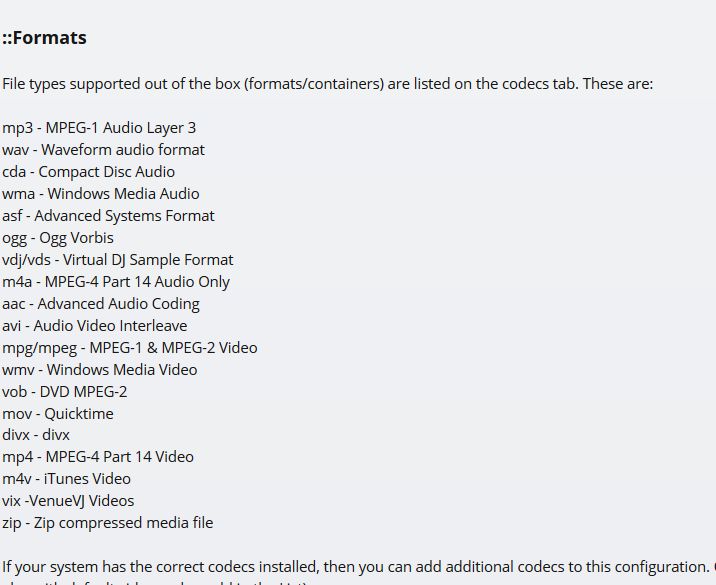
File formats for Virtual DJ
The huge number of features can be found on the manufacturer’s website [5]. However, two of them are very special. Under the name “content unlimited” access is provided to the streaming service Grooveshark [6]. It’s offered for just $9.99 per month. The music available there can then be streamed as desired or physically stored on the PC in a local cache. This is definitely interesting for aspiring tango DJs, because there are also many tangos offered. I once searched for “Yo no se que me han hecho tus ojos” for fun and found more than 20 hits:
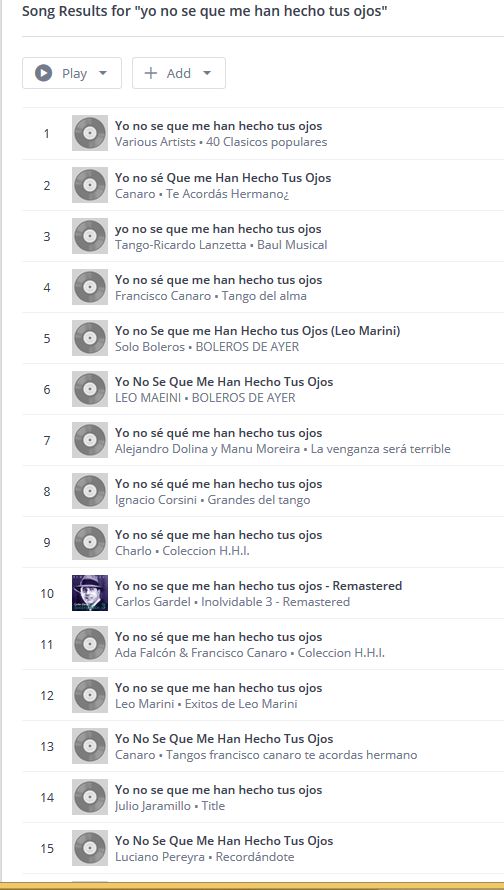
Unlimited database search for “Yo no se que me han hecho tus ojos”.
Additionally, the program can play video files and display them on a second screen, which can be connected to a projector. Virtual DJ thus becomes software for video DJing.
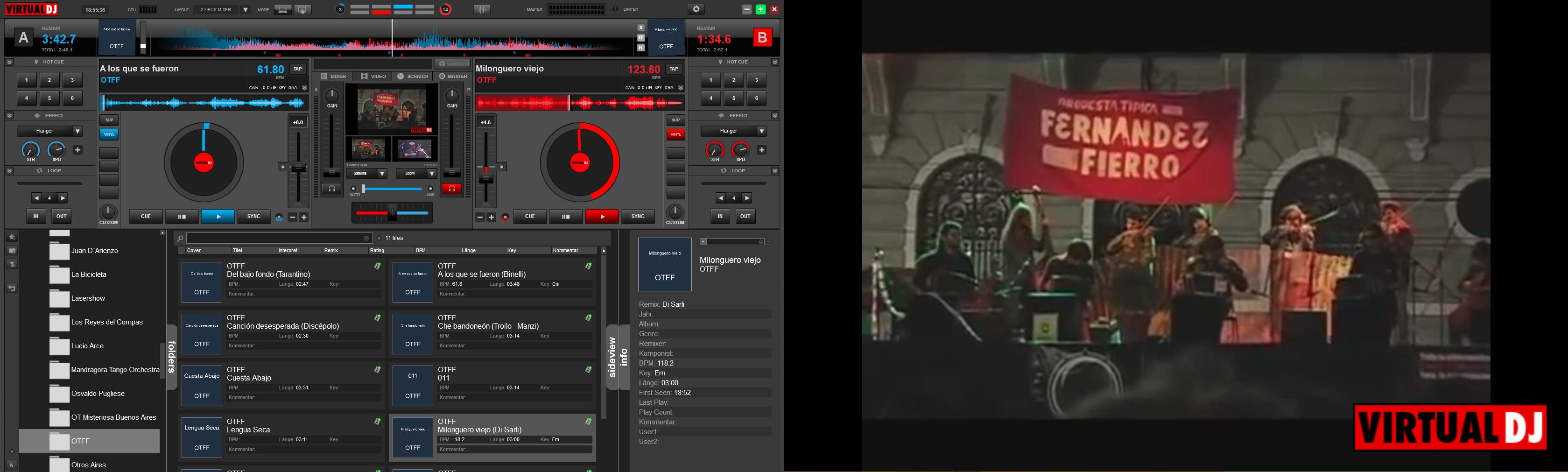
Video playback. Left screen Virtual DJ, right screen output of the player, which can be routed to a projector.
Virtual DJ is therefore one of the most versatile programs available today and has thus caught up with the two market leaders (Serato and Traktor).
4. Professional Software (Native Instruments Traktor Pro 2)
For tango DJs, the most important function is accessing the database. This is where Traktor excels. Traktor comes from the German company Native Instruments, which primarily develops software for musicians. Traktor has all the necessary functions for tango DJing and can access iTunes [7]. It plays most audio formats, including: AIFF, MP3, WAV, Audio CD, FLAC, OGG Vorbis, WMA, and AAC. Copy-protected files (DRM) are not supported. However, many hardware controllers are. Unfortunately, only one sound card is allowed, and Traktor is rather picky about hardware. However, devices from Traktor itself will certainly work.
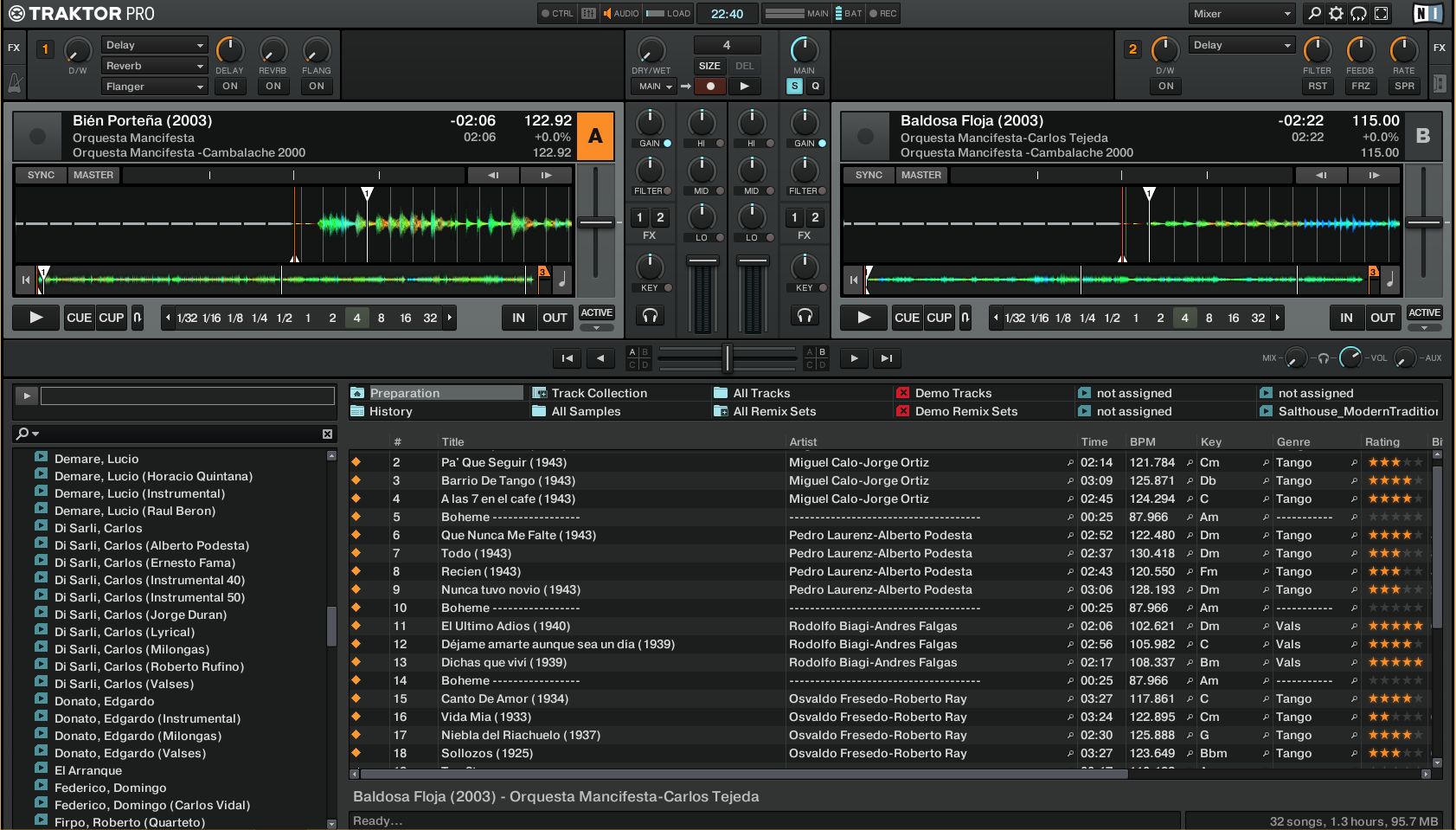
Traktor Pro 2 for Tango DJing
Best regards,
-Richard (DJ Ricardo)
PS: In the next blog post, I’ll show what a DJ typically brings to a simple gig.
1 http://en.wikipedia.org/wiki/Comparison_of_audio_player_software
2 http://en.wikipedia.org/wiki/ITunes
3 http://www.mixxx.org/
4 http://www.djtechtools.com/2012/08/07/review-mixxx-1-10-dj-software/
5 http://www.virtualdj.com/
6 http://en.wikipedia.org/wiki/Grooveshark
7 http://www.native-instruments.com/de/products/traktor/dj-software/traktor-pro-2/